







Why Your HMI Touchscreen Stops Responding: Common Causes and Proven Fixes
An unresponsive HMI touchscreen is usually caused by one of six issues digitizer/touchscreen failure, calibration drift, power supply faults, firmware corruption, PLC communication errors, or aging internal components (capacitors, controller ICs, display drivers). Most of these can be fixed through component-level repair without replacing the entire HMI unit, typically restoring full function within days rather than the weeks required for a full replacement.
In today's industrial automation environment, the Human Machine Interface (HMI) is the primary connection between operators and machines. From monitoring production lines to controlling industrial processes, a responsive HMI touchscreen is essential for maintaining productivity, safety, and operational efficiency.
When an HMI touchscreen stops responding, production can slow or even come to a halt. Operators lose visibility into machine status, process control becomes difficult, and unplanned downtime can lead to costly delays. While many assume the only solution is replacing the HMI, most touchscreen issues can be resolved through professional diagnostics and component-level repair.
Epoch Technical's engineers have completed over 6,500 industrial equipment repairs annually for clients across 25+ countries, including facilities throughout the UAE, GCC, and beyond. This article explains the most common reasons an HMI touchscreen becomes unresponsive, how engineers diagnose these problems, and the best repair solutions.
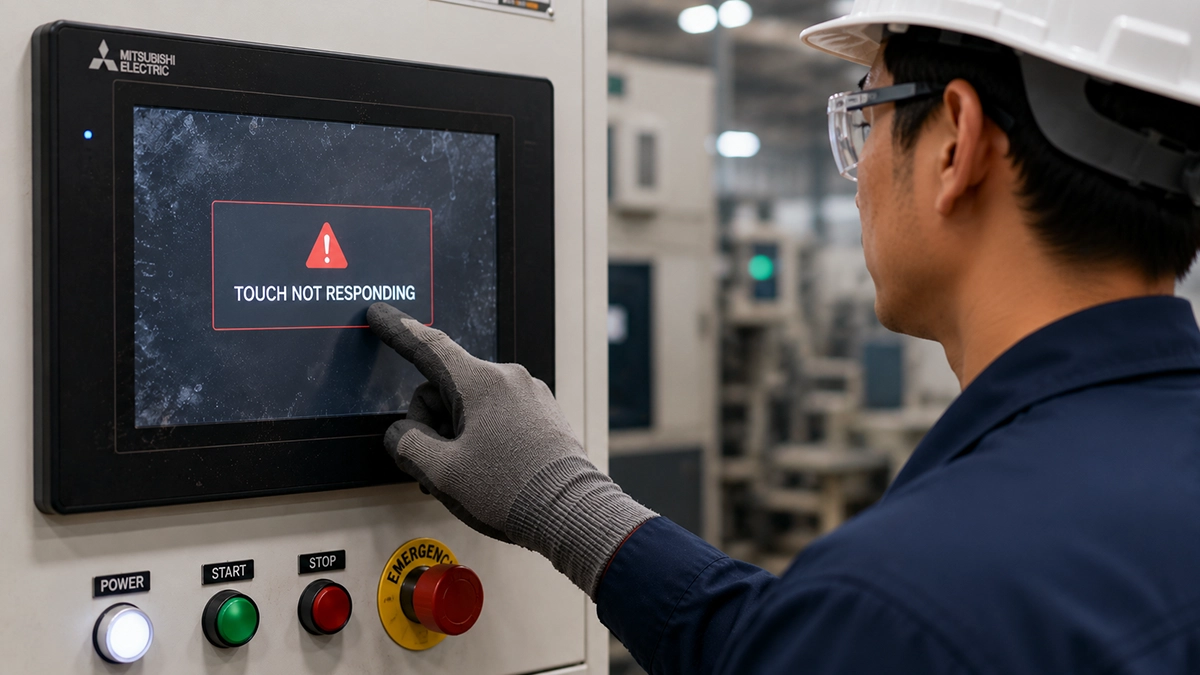
What Causes an HMI Touchscreen to Stop Responding? (6 Common Causes)
Touchscreen or Digitizer Failure
The touchscreen, also known as the digitizer, is one of the most frequently damaged HMI components. Years of continuous use, accidental impacts, moisture, and harsh industrial conditions can reduce touch sensitivity or cause complete failure.
Common symptoms include:
- ● Dead touch zones
- ● Ghost touches
- ● Delayed response
- ● No touch functionality
In many cases, replacing only the touchscreen assembly restores the HMI without replacing the entire unit, making repairs significantly more cost-effective.
Touchscreen Calibration Issues
Resistive touchscreens can gradually lose calibration over time. When this happens, operators may notice that the screen responds in the wrong location or menu selections become difficult.
A simple recalibration may solve the problem. However, repeated calibration failures often indicate a damaged touch panel or touchscreen controller requiring professional inspection.
Power Supply Problems
Industrial HMIs typically operate on a stable 24 VDC power supply. Voltage fluctuations, degraded capacitors, faulty voltage regulators, or DC-DC converter failures can interrupt normal touchscreen operation.
Typical symptoms include:
- ● Blank or flickering display
- ● Random restarts
- ● Boot loops
- ● Intermittent touchscreen response
Component-level repair of the power supply board is often sufficient to restore reliable performance.
Firmware Corruption
Firmware controls communication between the processor, touchscreen, display, and PLC. Power interruptions during firmware updates, memory corruption, or software errors can prevent the HMI from functioning correctly.
Signs of firmware failure include:
- ● Frozen boot screen
- ● Black display after startup
- ● Touchscreen disabled
- ● Operating system not loading
Professional firmware recovery and memory restoration can often return the HMI to full operation without replacing hardware.
PLC Communication Issues
Sometimes the touchscreen is working correctly, but communication with the PLC has failed. Damaged Ethernet cables, RS-485 communication faults, incorrect network settings, or protocol errors can prevent process data from updating.
Before replacing the HMI, engineers should verify communication cables, IP configurations, network switches, and communication ports to identify the actual source of the problem.
Internal Electronic Component Failure
Industrial HMIs contain numerous electronic components that naturally age over time. Components such as electrolytic capacitors, voltage regulators, touch controller ICs, display drivers, and memory chips can fail after years of continuous operation.
Common symptoms include:
- ● Black or dim display
- ● Random freezing
- Vertical display lines
- ● Slow or intermittent touchscreen response
Component-level diagnostics allow technicians to replace only the defective components, extending the life of the HMI while reducing maintenance costs.
How Do Engineers Diagnose an HMI Touchscreen Failure?
Professional diagnosis follows a structured, repeatable process to identify the root cause quickly and accurately:
- 1. Verify the incoming 24 VDC power supply.
- 2. Inspect the touchscreen for physical damage.
- 3. Test the LCD and backlight.
- 4. Check communication with the PLC.
- 5. Review firmware status and boot sequence.
- 6. Inspect ribbon cables and internal connectors.
- 7. Test touchscreen controller circuits.
- 8. Perform PCB-level diagnostics and functional testing.
This systematic approach — the same process Epoch Technical's engineers use in their UAE repair facility — minimizes unnecessary replacements and reduces equipment downtime.
Which Industries Are Most Affected by HMI Failures?
Reliable HMI operation is essential across many industries, including:
- ● Oil & Gas
- ● Power Generation
- ● Marine and Offshore
- ● Food & Beverage
- ● Pharmaceuticals
- ● Water & Wastewater Treatment
- ● Cement Plants
- Metals and Steel
- ● Packaging
- ● Automotive Manufacturing
In these industries, even a short HMI failure can interrupt production, delay maintenance activities, and increase operational costs. Epoch Technical supports clients in these sectors across the UAE (Dubai, Abu Dhabi, Sharjah) and internationally, with over 1,000 customers served to date.
Preventive maintenance significantly improves HMI reliability and extends equipment life. Recommended practices include:
- ● Use a regulated and stable power supply.
- ● Keep ventilation filters clean.
- Protect the HMI from dust, moisture, and chemical exposure.
- ● Avoid applying excessive pressure to the touchscreen.
- ● Regularly inspect communication cables and connectors.
- ● Schedule firmware updates during planned maintenance.
- ● Back up HMI projects before software upgrades.
A proactive maintenance strategy helps reduce unexpected failures and lowers long-term operating costs.
Should You Repair or Replace an Unresponsive HMI?
For most facilities, repair is the faster and more economical choice. Replacing an industrial HMI can be expensive and often involves long lead times, software migration, and machine reconfiguration. Component-level repair offers several advantages:
- ● Lower maintenance costs
- ● Faster turnaround times
- ● Reduced production downtime
- ● Preservation of existing machine settings
- ● Extended equipment lifespan
- ● Reduced electronic waste
Frequently Asked Questions
Everything you need to know about HMI touchscreen repair services.
Conclusion
An unresponsive HMI touchscreen doesn't always require replacement. Issues such as touchscreen failure, power supply faults, firmware corruption, communication errors, and PCB-level defects can often be resolved through professional component-level repair, reducing both downtime and maintenance costs.
At Epoch Technical, we specialize in expert HMI Repair and Industrial PC Repair services for leading automation brands, serving clients across the UAE and 25+ countries worldwide. Our experienced engineers provide accurate diagnostics, reliable repairs, and comprehensive testing to restore your equipment quickly and efficiently.
If your HMI touchscreen has stopped responding, contact Epoch Technical for a free assessment and a cost-effective repair solution that keeps your operations running smoothly.