







Siemens SIMATIC HMI Repair in UAE: Common Faults and Solutions
A faulty Siemens SIMATIC HMI can prevent operators from viewing machine data, accessing alarms or interacting with an industrial control system. Depending on the nature of the failure, the problem may affect only the operator panel or disrupt the wider production process.
Identifying the cause is essential before deciding whether to repair or replace the equipment. A blank display, startup failure or PLC communication error can have different underlying causes and require different diagnostic procedures.
For industrial facilities in Dubai and across the UAE, accurate fault diagnosis can help maintenance teams make informed decisions about restoring existing automation equipment.
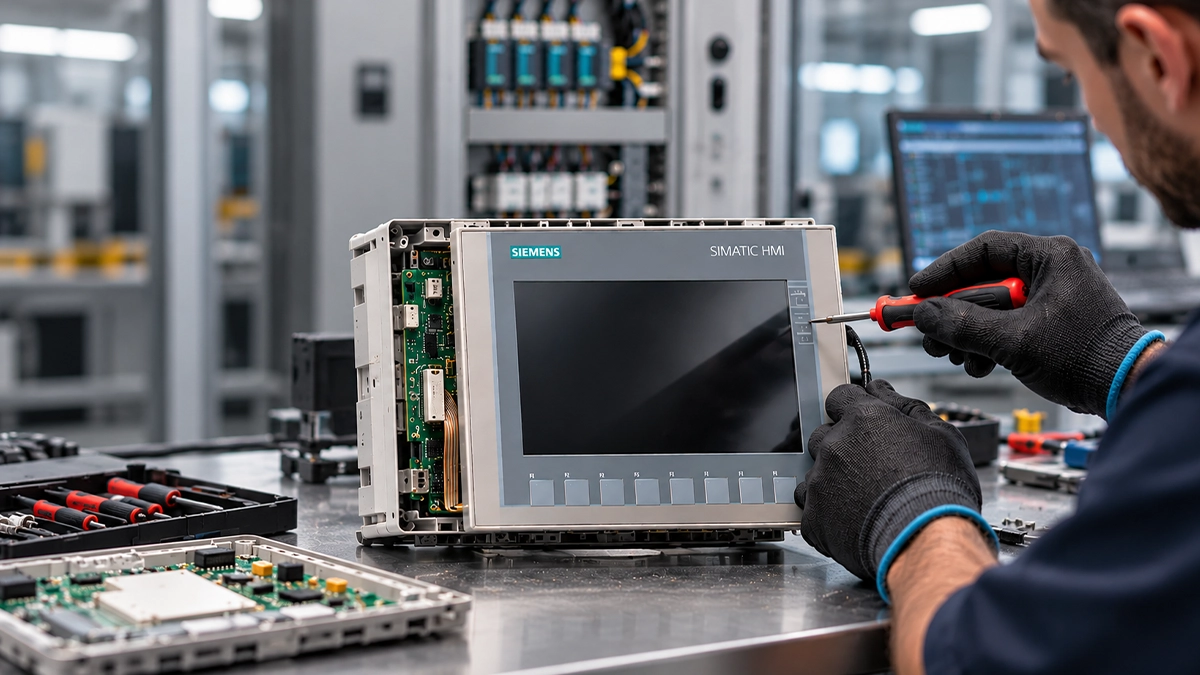
Common Siemens SIMATIC HMI Faults
Siemens SIMATIC HMI products include different panel families with varying hardware and software requirements. The model number, error messages and symptoms should be recorded before troubleshooting begins.
1. Black Screen or No Display
A SIMATIC HMI that appears to power on but displays no information may have a display, backlight, power supply or internal electronic fault.
Check whether the panel shows any indicators or startup activity. An authorised technician should verify the external power supply against the equipment specifications before investigating the display or internal circuitry.
A black screen alone does not establish which component has failed.
2. Touchscreen Not Responding
An unresponsive touchscreen can prevent operators from accessing menus or interacting with available controls. Possible causes include damage to the touch sensor, wear, configuration issues or faulty internal connections.
Record whether the entire touchscreen is unresponsive or only certain areas are affected. This information can help narrow down the cause.
For additional guidance, read our HMI touchscreen troubleshooting guide.
3. HMI Stuck During Startup
A panel that remains on its startup screen or repeatedly restarts may have a firmware, configuration, storage, power or hardware-related problem.
Record the displayed error message and note whether the issue began after a power interruption, project download or maintenance activity. Avoid unverified factory resets or firmware updates, as these may affect stored configuration data or complicate recovery.
The appropriate diagnostic procedure depends on the specific SIMATIC HMI model.
4. Power Supply Failure
An HMI that does not switch on may have an external power supply problem, damaged wiring, a faulty connector or an internal power circuit failure.
A qualified technician should verify the supply voltage and external connections against the manufacturer's specifications. If the correct supply is present but the panel remains inactive, internal electronic diagnostics may be required.
5. Communication Errors Between HMI and PLC
Communication problems can result in missing process values, connection warnings or unavailable functions, even when the HMI display works normally.
Possible causes include damaged network cables, incorrect addressing, configuration mismatches, PLC availability issues or a faulty communication interface.
Review the relevant error messages and approved network or PLC diagnostics before replacing hardware.
If diagnostics indicate a controller fault, explore our industrial PLC repair services.
6. Flickering Display or Distorted Graphics
Flickering, uneven brightness, lines or distorted graphics may indicate a display fault, unstable power or an internal connection problem.
Record whether the symptoms occur continuously or intermittently and whether they affect the entire display. Further inspection can help establish whether the problem originates in the display assembly or other electronics.
How to Diagnose a Siemens SIMATIC HMI Problem
Before sending a faulty panel for repair, maintenance teams can collect information that helps identify the likely source of the failure.
- • Identify the model. Record the SIMATIC HMI family, model designation and order or part number from the nameplate.
- • Document the symptoms. Note the error message, display condition, startup behaviour and whether touchscreen input or PLC communication is affected.
- • Review recent changes. Check whether the issue appeared after maintenance, a power interruption, a project download or a network configuration change.
- • Check external connections. Have an authorised technician verify the power supply and accessible connections using approved procedures.
- • Preserve configuration data. Retain available project files and backups before attempting recovery, where possible.
These checks can help narrow down the problem but may not identify an internal electronic fault. Persistent failures should be assessed using the diagnostic procedures appropriate to the specific model.
Siemens SIMATIC HMI Repair or Replacement?
Repair may be a practical option when the fault is localised, suitable components are available and the existing panel remains compatible with the application.
The decision should account for more than the hardware price. A replacement panel may also require configuration migration, compatibility checks, engineering work and commissioning.
Learn more about our HMI and Industrial PC repair services for industrial automation equipment.
Siemens SIMATIC HMI Repair Services in the UAE
Industrial facilities in Dubai, Abu Dhabi, Sharjah and other parts of the UAE rely on operator interfaces to monitor processes and interact with automation systems. When a SIMATIC HMI develops a fault, identifying the cause is an important step towards restoring normal operation.
Epoch Technical offers industrial HMI and Industrial PC repair services. The appropriate repair scope depends on the equipment model, the fault identified and the availability of suitable components.
For issues involving other electronic assemblies, explore our industrial PCB repair services.
If your Siemens SIMATIC HMI has a blank display, startup problem, unresponsive touchscreen or persistent communication error, contact Epoch Technical with the model number and fault details to request an assessment.
Request a Siemens HMI repair assessment.
Frequently Asked Questions
Conclusion
Siemens SIMATIC HMI failures can originate from display hardware, touch interfaces, power circuits, software or communication problems. Identifying the model and recording the symptoms helps maintenance teams choose the appropriate diagnostic and repair approach.
For industrial HMI repair enquiries in the UAE, explore our HMI repair services in the UAE or contact Epoch Technical about HMI repair.